
Understanding the GOATY Golf Swing Analysis Feature
In the pursuit of improving your golf swing, having the right tools can make all the difference. One such tool is the GOATY Golf Swing Analysis software, which comes with an impressive feature that allows you to compare your swing against elite models. This article will break down how to utilize this feature effectively to enhance your golf game.
Accessing the Compare Feature
To get started, navigate to the menu of the GOATY software. You’ll find a button labeled ‘compare’ which will lead you to the swing comparison functionality. Alternatively, after conducting a swing analysis, you can access this feature directly from your swing results.
Uploading and Syncing Swings
Once you’re in the compare section, you can upload one of your recorded swings. The software allows you to upload both high-speed and slow-motion recordings. Currently, the platform includes several elite models, including the GOAT Model, which serves as the benchmark for perfection in swing mechanics.
To sync your swing with an elite model, you’ll hit the ‘autosync’ button. This function utilizes the dot data from your swing analysis to align your swing with the selected model, making it easier to identify discrepancies and areas for improvement.
Scaling and Adjusting the Model
After syncing, the next step is to scale the model to fit your body size. This adjustment depends on factors such as your distance from the camera during your swing recording. You can move the model both vertically and horizontally to match your body position precisely. This scaling is crucial for accurate comparisons, as it ensures that you are viewing the model as it relates to your specific physique.
Analyzing the Swing
With the model now aligned and scaled, you can analyze your swing in detail. The software primarily syncs to the impact frames, allowing you to observe critical moments of your swing. You can step through the frames, moving the model ahead or behind as necessary, which helps pinpoint exactly where your swing mechanics diverge from the elite model.
Adjusting Opacity and Viewing Options
Another useful feature is the ability to adjust the opacity of the models. This allows you to see both your swing and the elite model clearly, making it easier to spot differences in mechanics. Additionally, the GOATY software offers a side-by-side view, which is particularly helpful for direct comparisons. You can zoom in on specific parts of the swing to get a closer look at the mechanics at play.
Uploading Your Own Models
As you become more familiar with the software, you’ll have the opportunity to upload your own swing models. This feature fosters a community aspect, as you can share your models with other users. By analyzing your own swings alongside elite models, you’ll gain insights into your unique style and how it aligns with successful techniques.
Conclusion
The GOATY Golf Swing Analysis software provides a powerful tool for golfers looking to refine their swing. By utilizing the compare feature, you can gain invaluable insights into your mechanics, learn from the elite models, and make meaningful adjustments to improve your performance on the course.
Key Takeaways
- Access the compare feature through the menu or after swing analysis.
- Use autosync to align your swing with elite models.
- Scale and adjust the model to match your body for accurate comparisons.
- Analyze swings frame by frame to identify key differences.
- Upload your own models to enhance community learning and feedback.
See What GOATY Finds in Your Swing
Upload a swing video and get your GOATScore, root cause diagnosis, and personalized drill prescription in 60 seconds.
Analyze My Swing Freeor
Try a Free Live LessonRelated Articles
Revolutionize Your Golf Swing with Goat Code Analysis
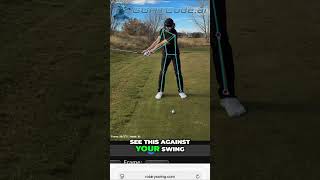
Discover how Goat Code overlay can transform your golf swing by comparing it to the elite model in real-time. Improve yo
Enhance Your Golf Swing with AI Comparison Tools
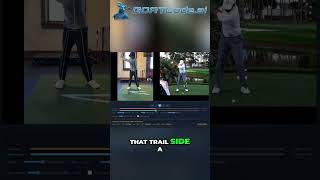
Utilize AI tools to compare your swing to elite models and improve your game. Learn how to analyze your stance and hip l

Unlock Your Golf Potential with GOATY AI Coaching
Discover how the GOATY AI Golf Coaching System transforms your game by providing personalized insights and real-time ana